Opportunities
Your entire HVAC sales pipeline — visible and configurable
Manage every opportunity from first contact to project close. Configurable stages, custom fields for HVAC-specific data, and every linked document — BOQ, PO, invoice, PMS and AMC — accessible from one record.
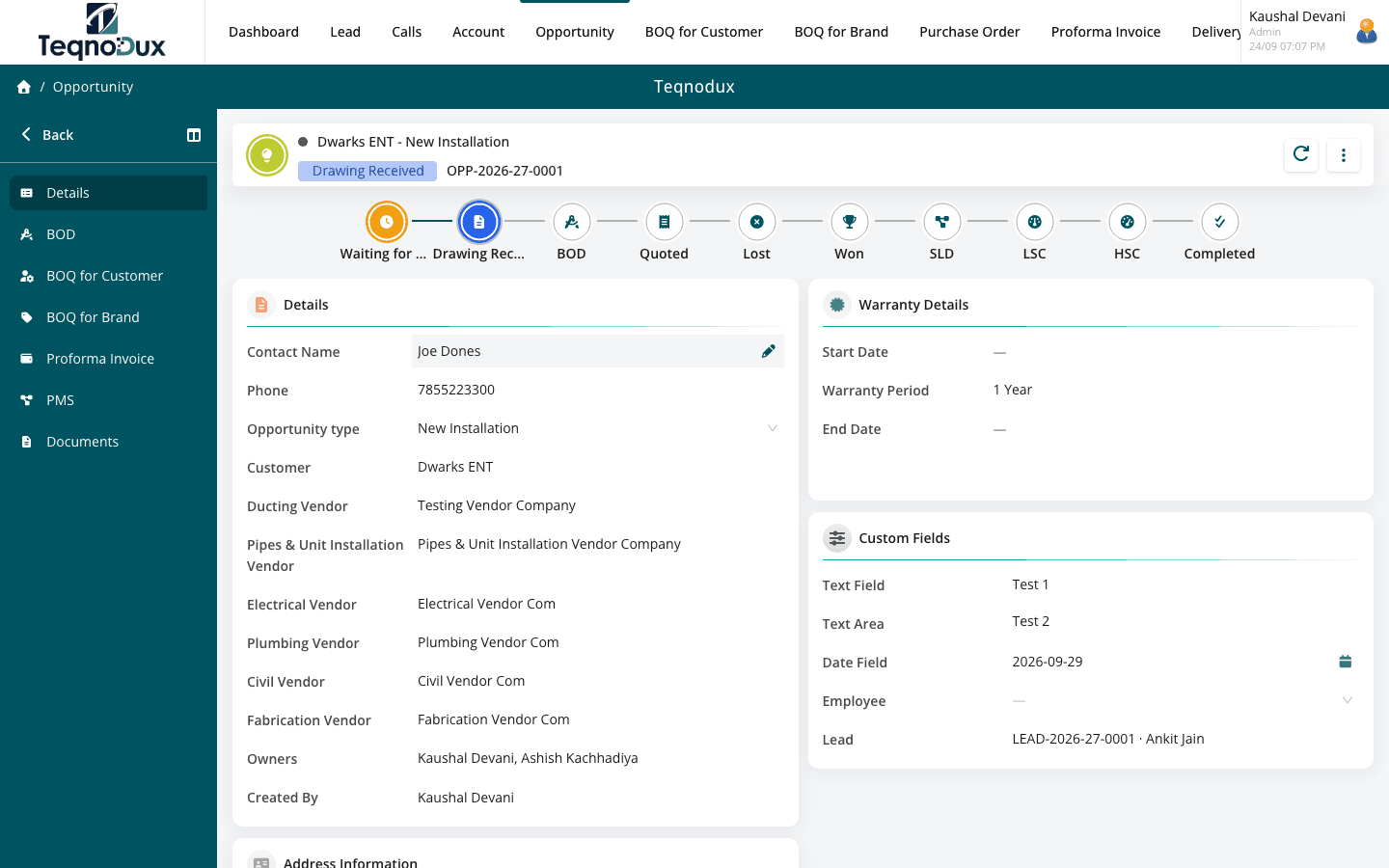
Everything Opportunities handles
Fully configurable pipeline stages with colours and transition rules
Link to customer account, BOQ, PO, DC, invoice, PMS and AMC
Custom fields per opportunity (project type, site area, equipment specs)
Ownership and visibility control per sales rep and manager
Stage transition can require attachments (e.g., signed quotation)
Dashboard summary: pipeline value by stage
How it works in practice
01
A pipeline that reflects how your team actually sells
Default CRM stages don't fit HVAC sales. Rename, add or reorder stages to match your process — Site Survey Requested, BOQ Submitted, Negotiation, Order Confirmed. Colour-code each stage so the pipeline is readable at a glance.
- Fully configurable pipeline stages — add, rename, reorder, colour-code
- Stage transition rules: require an attachment before advancing (e.g., signed quotation)
- Dashboard: pipeline value by stage across the entire team
02
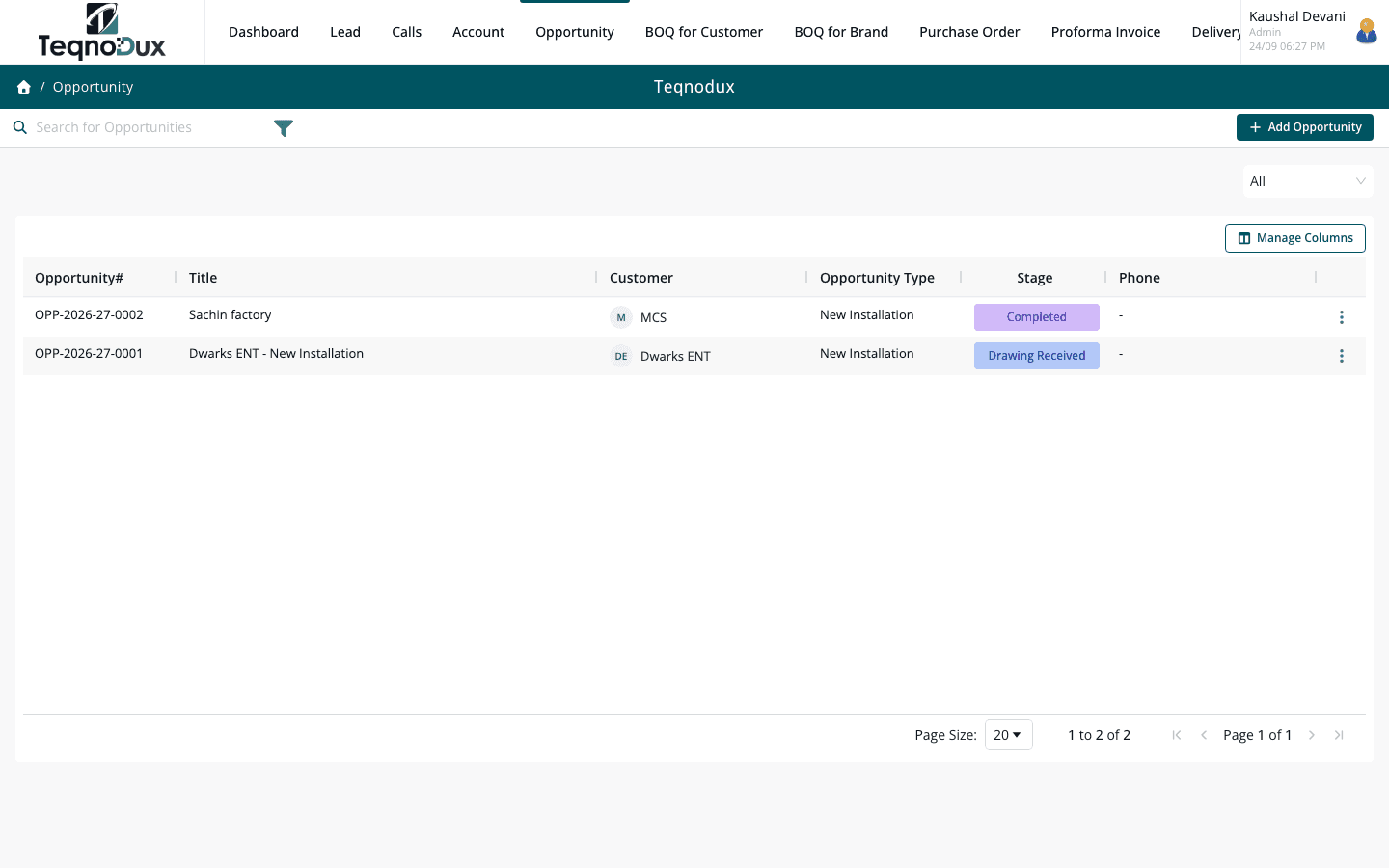
Every document linked — one thread from lead to invoice
An Opportunity in HVAC Flow is the spine of a project. Attach the Customer BOQ, the Brand BOQ you used to price it, the PO you raised, the Delivery Challan when equipment ships, the Invoice when billing, and PMS visits and AMC contracts when service starts.
- Link BOQ Customer, BOQ Brand, POs, DCs, Return Challans and Invoices to one opportunity
- PMS visits and AMC contracts created from an opportunity stay linked to it
- Full project audit trail from opportunity creation to final service visit
Opportunities
Every document linked — one thread from lead to invoice
Link BOQ Customer, BOQ Brand, POs, DCs, Return Challans and Invoices to one opportunity
PMS visits and AMC contracts created from an opportunity stay linked to it
Full project audit trail from opportunity creation to final service visit
03
Custom fields for what standard CRMs miss
Standard CRM fields don't include Estimated Tonnage, Project Type or Equipment Specs. Custom fields let you capture exactly what your estimators need for accurate BOQ preparation — and what your managers need for reporting.
- Add custom fields: text, number, date, dropdown, checkbox — no developer needed
- HVAC examples: Project Type, Estimated Load (TR), Site Area, Brand Preference
- Custom fields appear in list views and can be used for pipeline filtering
Opportunities
Custom fields for what standard CRMs miss
Add custom fields: text, number, date, dropdown, checkbox — no developer needed
HVAC examples: Project Type, Estimated Load (TR), Site Area, Brand Preference
Custom fields appear in list views and can be used for pipeline filtering
Opportunities works with
Every module links across the platform — no re-entry, no disconnected data, no scattered tools.
Common questions
Currently, pipeline stages are configured globally per module in Settings. Different stage sets per project type is on the roadmap. The current workaround is to use a custom field for Project Type and filter the pipeline view by that field.
Yes. Managers see all opportunities across their team by default. Reps see only their assigned opportunities. The pipeline dashboard shows value by stage across the entire visible pipeline.
The opportunity moves to a terminal stage (e.g., Won or Completed). It remains as a historical record with all linked documents. Closed opportunities are excluded from the active pipeline view but are fully searchable.
Yes. Stage transition rules can require an attachment — for example, a signed BOQ approval before moving to 'Order Confirmed'. This is configured in Settings → Stage Configuration.
Your HVAC business deserves
better than a spreadsheet.
Join HVAC companies across India who've replaced WhatsApp chaos with one clean, connected system. Start free — no credit card, no contracts.