Lead Management
Every HVAC lead tracked from the first call to a closed deal
Log enquiries from any channel, assign to reps with full context, and convert to an Account and Opportunity in one click — without losing a single detail along the way.
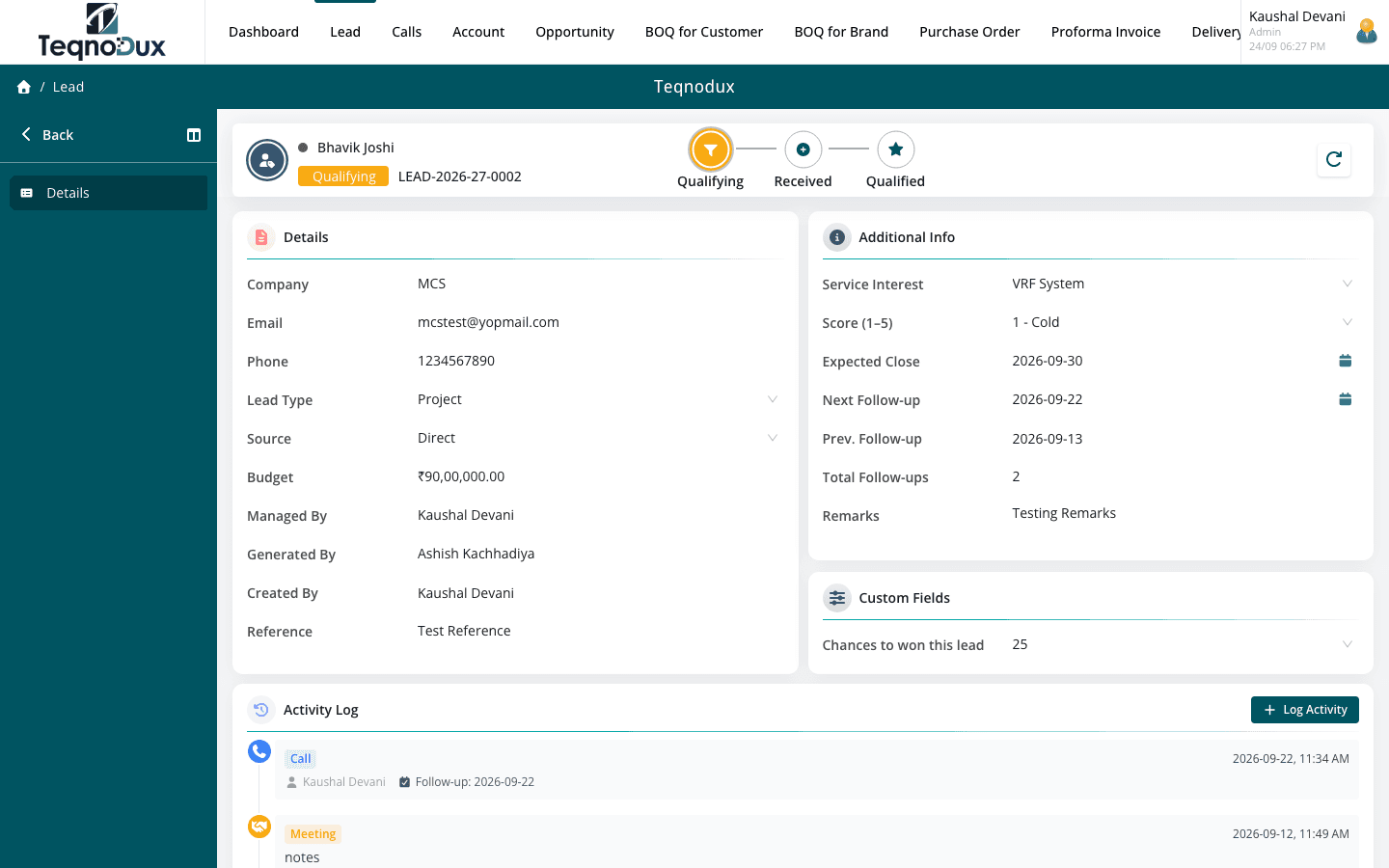
Everything Lead Management handles
Log leads from any channel — phone, email, site visit or referral
Assign leads to sales reps with ownership visibility rules
Track activities: calls, site visits, follow-ups with timestamps
Convert a lead to an Account + Opportunity in one click (ACID transaction)
Configurable pipeline stages per your sales process
Custom fields to capture HVAC-specific lead data
How it works in practice
01
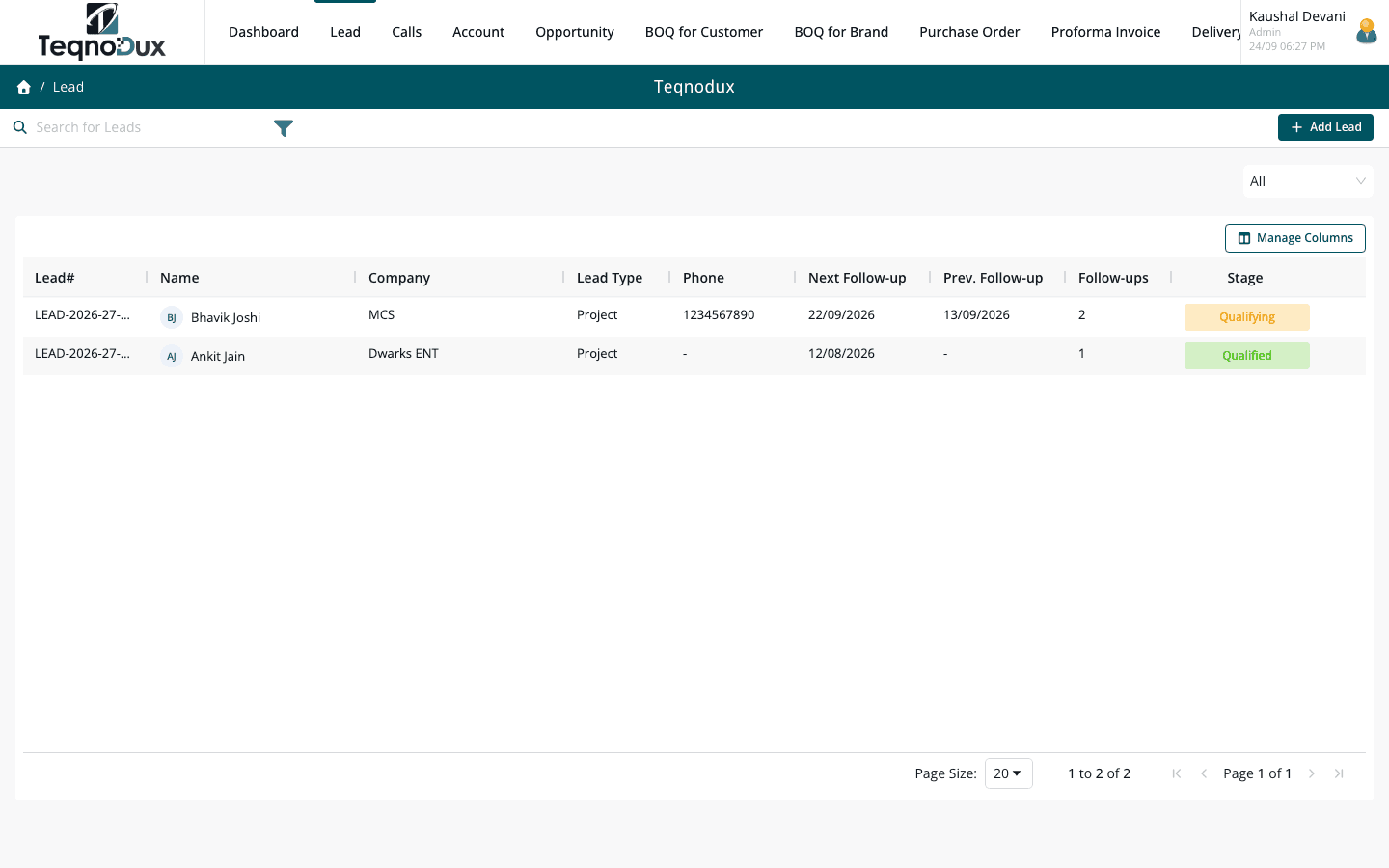
Capture from every channel the moment it arrives
Whether a lead comes in through a phone call, a site visit, an email or a referral, it goes into one system immediately. No sticky notes, no WhatsApp screenshots, no lost enquiries. Each lead is timestamped, assigned and visible to the right people from the start.
- Log leads from phone, email, site visit, referral or walk-in
- Assign ownership to a sales rep in one click — rep sees full context immediately
- Configurable pipeline stages so your CRM matches how your team actually sells
02
Track every call, visit and follow-up against the lead
Every touchpoint your team has with a lead is logged — calls, site visits, follow-ups — each with a timestamp and outcome note. Managers see what's happened across every rep's pipeline without chasing updates.
- Activity log per lead: call, site visit, email, follow-up with date and outcome
- Set follow-up dates — overdue items surface on your dashboard each morning
- Manager view: full activity visibility across all reps without asking for updates
Lead Management
Track every call, visit and follow-up against the lead
Activity log per lead: call, site visit, email, follow-up with date and outcome
Set follow-up dates — overdue items surface on your dashboard each morning
Manager view: full activity visibility across all reps without asking for updates
03
Convert to Account and Opportunity in one transaction
When a lead is ready to progress, convert it in one click. HVAC Flow creates a linked Account and Opportunity automatically — no re-entry, no copy-pasting. The full activity history carries over so nothing is lost.
- One-click conversion creates Account + Opportunity atomically — no data re-entry
- Lead activity history preserved and accessible from the new Opportunity
- Custom fields on the lead carry forward — no re-entering project specs
Lead Management
Convert to Account and Opportunity in one transaction
One-click conversion creates Account + Opportunity atomically — no data re-entry
Lead activity history preserved and accessible from the new Opportunity
Custom fields on the lead carry forward — no re-entering project specs
Lead Management works with
Every module links across the platform — no re-entry, no disconnected data, no scattered tools.
Common questions
Each lead has a single owner for clear accountability. Managers can reassign ownership and have full visibility across their team's pipeline. If two people need to work on the same enquiry, one handles it as owner while the other's involvement is logged via activity notes.
The lead is marked as Converted. A linked Account (if the customer doesn't already exist) and a new Opportunity are created automatically in a single transaction. All activity history, notes and custom field data from the lead are preserved and linked to the Opportunity.
Yes — pipeline stages are fully configurable in Settings. You can add, rename, reorder and colour-code stages to match your exact sales process. Stage names like 'Site Survey Scheduled' or 'Quotation Sent' are common for HVAC teams.
Yes. Every activity log entry has a follow-up date field. Overdue follow-ups appear on your dashboard so reps know exactly what needs attention each day. Managers see the overdue list across their entire team.
There is no fixed limit. Custom fields (text, number, date, dropdown, checkbox) can be added to Lead Management from Settings. Common HVAC examples include Estimated Tonnage, Project Type and Lead Source.
Your HVAC business deserves
better than a spreadsheet.
Join HVAC companies across India who've replaced WhatsApp chaos with one clean, connected system. Start free — no credit card, no contracts.