Proforma Invoice
GST-compliant invoices linked to every project they came from
Create invoices with HSN codes, GST rates and auto-computed tax breakups. Use custom PDF templates with your company branding. Track receivables — paid, pending, overdue — from a single dashboard.
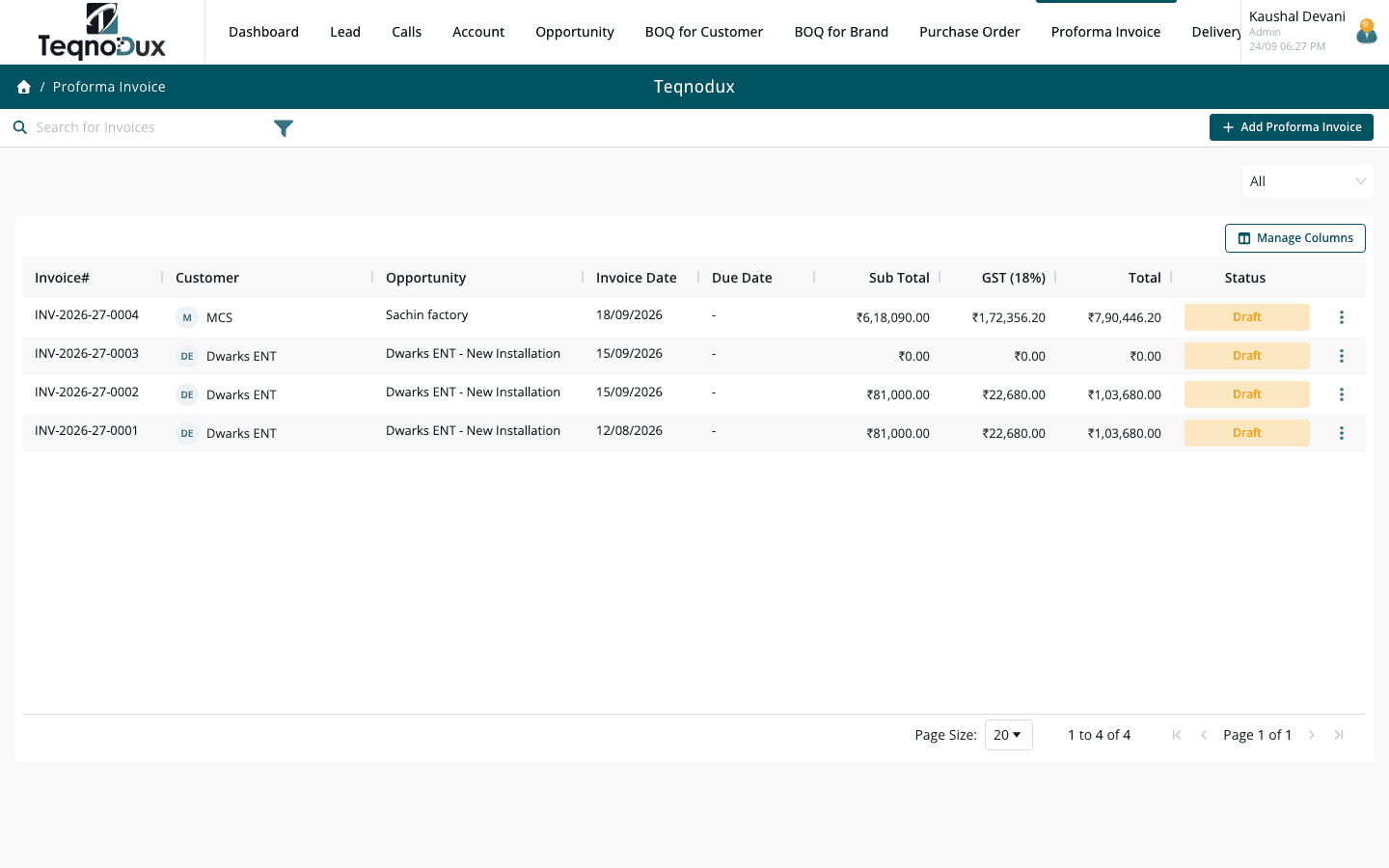
Everything Proforma Invoice handles
Link invoice to customer account, opportunity or BOQ Customer
Line items with HSN codes, GST rates, discount and amounts
Auto-computed subtotal, tax breakup and grand total
Custom PDF templates with your branding (Tiptap template builder)
Stage-based status flow with configurable transitions
Export to PDF and Excel
Dashboard receivables summary: paid, pending, overdue
How it works in practice
01
GST-compliant with HSN codes and full tax breakup
Every line item carries an HSN code and GST rate. The system computes CGST + SGST (or IGST for interstate) automatically and shows the full tax breakup. Discount per line and overall discount are supported.
- HSN code per line item — mandatory for GST compliance
- CGST + SGST or IGST computed automatically based on transaction type
- Discount per line and overall; grand total always auto-updated
02
Custom PDF template with your company branding
Your invoice PDF uses your logo, company address, bank details and colour scheme. HVAC Flow has a template builder where you can customise the layout. Export to PDF and send directly.
- Upload your company logo and set branding for the PDF template
- Include bank details, payment terms and GSTIN on every export
- Template builder lets you adjust layout without developer involvement
Proforma Invoice
Custom PDF template with your company branding
Upload your company logo and set branding for the PDF template
Include bank details, payment terms and GSTIN on every export
Template builder lets you adjust layout without developer involvement
03
Receivables dashboard — paid, pending, overdue at a glance
The invoicing dashboard shows total receivables broken into Paid, Pending and Overdue. Overdue invoices are highlighted so your accounts team knows exactly who to follow up with.
- Dashboard: total invoiced, paid, pending and overdue amounts
- Overdue invoices flagged with follow-up list built into the dashboard
- Filter by date range, customer or status for custom receivables views
Proforma Invoice
Receivables dashboard — paid, pending, overdue at a glance
Dashboard: total invoiced, paid, pending and overdue amounts
Overdue invoices flagged with follow-up list built into the dashboard
Filter by date range, customer or status for custom receivables views
Proforma Invoice works with
Every module links across the platform — no re-entry, no disconnected data, no scattered tools.
Common questions
Yes. The invoice includes GSTIN, HSN codes per line, CGST/SGST or IGST breakup, and total tax as required under the CGST Act. E-invoicing (IRN/QR code) integration is on the roadmap.
Yes. The template builder lets you configure the layout, add your logo, set your bank details and adjust the information shown. Multiple templates per document type are planned for a future release.
Yes. The invoicing dashboard shows overdue invoices separately. Set a payment due date on each invoice — once that date passes without the invoice being marked Paid, it appears in the Overdue bucket.
Yes. Multiple invoices can be raised against the same Opportunity — common for staged billing (advance, on delivery, on commissioning). All are visible from the Opportunity record.
Your HVAC business deserves
better than a spreadsheet.
Join HVAC companies across India who've replaced WhatsApp chaos with one clean, connected system. Start free — no credit card, no contracts.