Purchase Orders
POs that are audit-proof the moment you submit them
Create purchase orders linked to the supplier, opportunity and BOQ they came from. Once submitted, they're locked — no edits, no backdating, no ambiguity about what was agreed.
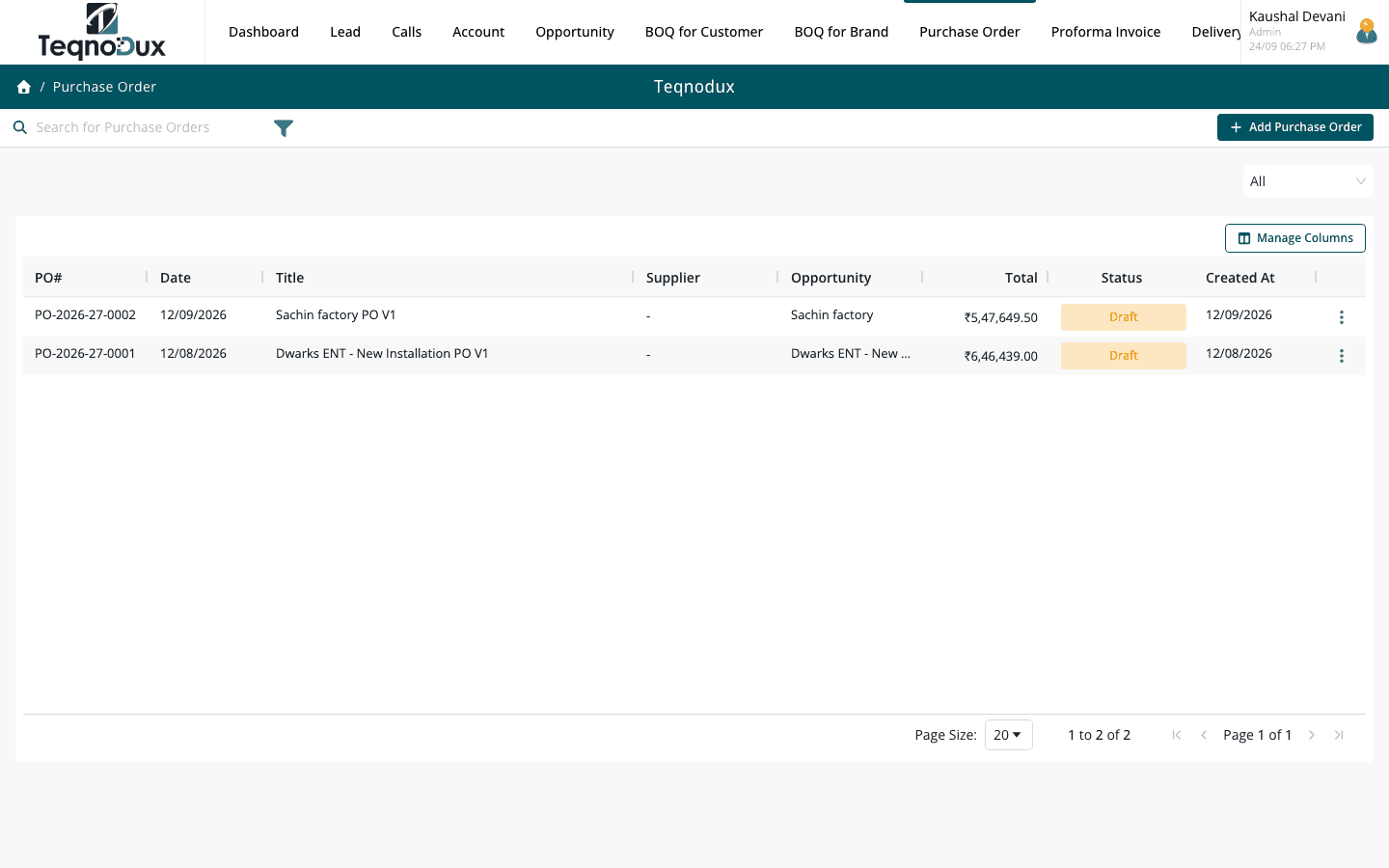
Everything Purchase Orders handles
Link PO to supplier (Account), opportunity, BOQ Customer or BOQ Brand
Line items with unit cost, quantity, discount and tax
Ship-to address selection per PO
Status: Draft → Submitted → Cancelled
Non-editable once submitted — ensures audit trail
Export to Excel and PDF
Copy PO for repeat orders to the same supplier
How it works in practice
01
Link every PO to the supplier and project it belongs to
A PO without context creates problems later. In HVAC Flow, every PO is linked to a Supplier account, the Opportunity it's for, and optionally the Customer BOQ or Brand BOQ that drove the purchase decision.
- Link PO to Supplier account, Opportunity, BOQ Customer or BOQ Brand
- Ship-to address selection per PO — for deliveries to multiple sites
- Multiple line items with unit cost, quantity, discount and tax per line
02
Full line-item detail with cost, tax and delivery address
Every line on the PO has unit cost, quantity, discount percentage, GST rate and total. The PO summary shows subtotal, total tax and grand total. Ship-to addresses from the linked customer account can be selected per PO.
- Unit cost, quantity, discount and GST rate per line — auto-computed totals
- GST rate per line for mixed-rate purchase orders
- Export to PDF and Excel for sharing with suppliers
Purchase Orders
Full line-item detail with cost, tax and delivery address
Unit cost, quantity, discount and GST rate per line — auto-computed totals
GST rate per line for mixed-rate purchase orders
Export to PDF and Excel for sharing with suppliers
03
Non-editable once submitted — a complete audit trail
Once a PO is submitted, it cannot be edited. This prevents backdating, scope changes after supplier acknowledgment, and disputes about what was actually ordered. Cancellation preserves the original record.
- PO is fully locked once submitted — no post-submission edits possible
- Cancelled PO preserved as a record — not deleted
- Copy PO function: create a new Draft from any existing PO for repeat orders
Purchase Orders
Non-editable once submitted — a complete audit trail
PO is fully locked once submitted — no post-submission edits possible
Cancelled PO preserved as a record — not deleted
Copy PO function: create a new Draft from any existing PO for repeat orders
Purchase Orders works with
Every module links across the platform — no re-entry, no disconnected data, no scattered tools.
Common questions
Yes. The Opportunity and BOQ links are optional. Some teams raise standalone POs for ad-hoc purchases. Linking to an Opportunity is recommended for project traceability but is not enforced.
The PO status changes to Submitted and the record becomes non-editable. A GRN (Inward) can then be created against the PO to record actual goods received.
Yes. A submitted PO can be cancelled. The cancellation is logged with a timestamp. The cancelled PO is preserved — not deleted. Copy the cancelled PO and raise a new one with the needed changes.
The Inward (GRN) module lets you create a receipt against a submitted PO. Each line item on the PO appears in the GRN — you record how many units were actually received. Partial receipts are supported.
Yes. Copy PO creates a new Draft with all the line items from the original. Adjust quantities, prices or the ship-to address before submitting. Common workflow for regular procurement from the same vendor.
Your HVAC business deserves
better than a spreadsheet.
Join HVAC companies across India who've replaced WhatsApp chaos with one clean, connected system. Start free — no credit card, no contracts.