AMC — Service Contracts
AMC contracts that alert you to renewals before they lapse
Create annual maintenance contracts with clear start/end dates, contract value and service scope. The dashboard flags contracts expiring in the next 30 days. Non-editable once cancelled — no backdating, no disputes.
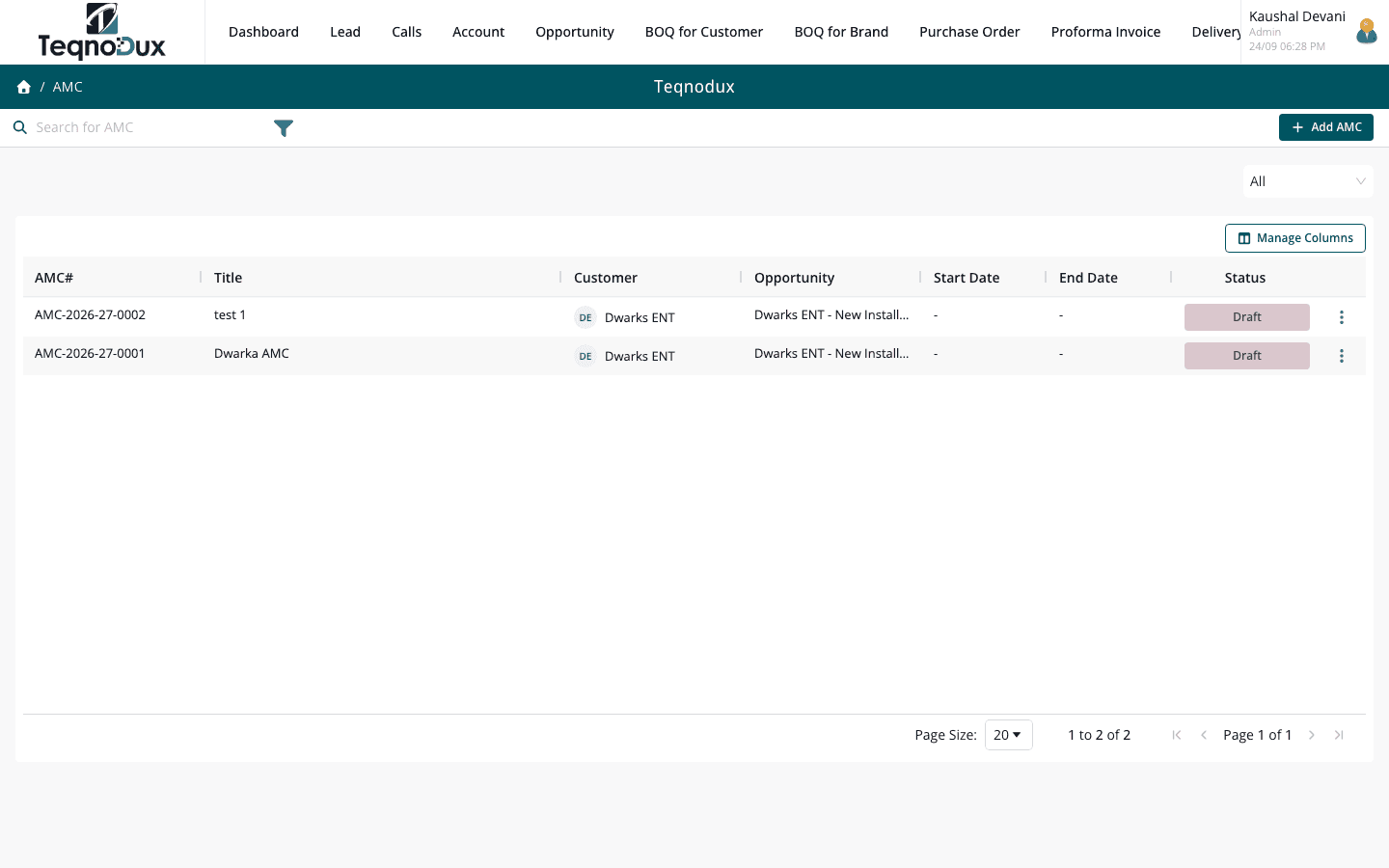
Everything AMC — Service Contracts handles
Create AMC contracts with start/end dates, value and terms
Line items detailing services included under the contract
Link to customer account and opportunity for traceability
Status: Active → Expired / Cancelled
Non-editable once cancelled or expired — prevents backdating
Export AMC estimate and invoice PDFs
Dashboard flags expiring contracts so renewals aren't missed
How it works in practice
01
Create a contract with clear scope, value and dates
An AMC record has a start date, end date, total contract value and detailed service scope. Line items define what's included — number of visits, equipment covered, response time commitment.
- Start date, end date, value and detailed terms per AMC
- Line items define service scope: visits, equipment, SLAs included
- Link to customer Account and Opportunity for full project traceability
02
Status flow that prevents backdating once a contract is closed
Active AMC contracts can be edited while active. Once Cancelled or Expired, the contract becomes non-editable. This prevents backdating contract terms or altering expiry dates after a dispute arises.
- Status: Active → Expired (auto on end date) / Cancelled (manual)
- Non-editable once Cancelled or Expired — prevents backdating
- Cancelled AMC preserved as a record — not deleted
AMC — Service Contracts
Status flow that prevents backdating once a contract is closed
Status: Active → Expired (auto on end date) / Cancelled (manual)
Non-editable once Cancelled or Expired — prevents backdating
Cancelled AMC preserved as a record — not deleted
03
Dashboard flags renewals 30 days before contracts expire
Active AMC contracts expiring within 30 days appear in a dedicated renewal alert panel on the dashboard. Your accounts team sees exactly which customers are up for renewal — and can reach out proactively.
- Dashboard alert: contracts expiring in the next 30 days with customer name
- Proactive renewal: reach out before the customer's contract lapses
- Export AMC estimate and invoice PDFs for the renewal offer
AMC — Service Contracts
Dashboard flags renewals 30 days before contracts expire
Dashboard alert: contracts expiring in the next 30 days with customer name
Proactive renewal: reach out before the customer's contract lapses
Export AMC estimate and invoice PDFs for the renewal offer
AMC — Service Contracts works with
Every module links across the platform — no re-entry, no disconnected data, no scattered tools.
Common questions
Yes. Each AMC is linked to a specific customer Account and Opportunity. You can have hundreds of active AMC contracts, each tracking independently with their own start/end dates, values and service scope.
The AMC status changes to Expired automatically on the end date. Renewal is handled by creating a new AMC contract linked to the same customer and opportunity — the original expired contract is preserved as a historical record.
Yes. AMC invoicing generates a Proforma Invoice linked to the AMC contract and customer account — the standard workflow for billing advance AMC payments.
The dashboard renewal alert panel shows all contracts expiring within 30 days. You can also filter the AMC list by status and date range to see a longer renewal horizon — useful for quarterly planning.
Both PMS visits and AMC contracts are linked to the same Opportunity, creating an implicit link. A formal explicit AMC ↔ PMS link is on the roadmap.
Your HVAC business deserves
better than a spreadsheet.
Join HVAC companies across India who've replaced WhatsApp chaos with one clean, connected system. Start free — no credit card, no contracts.