PMS — Preventive Maintenance
Never miss a scheduled maintenance visit again
Schedule PMS visits with date, type and service description. Assign to engineers from your directory. Generate three visits from one opportunity in a click. Dashboard shows overdue visits before your customer calls about them.
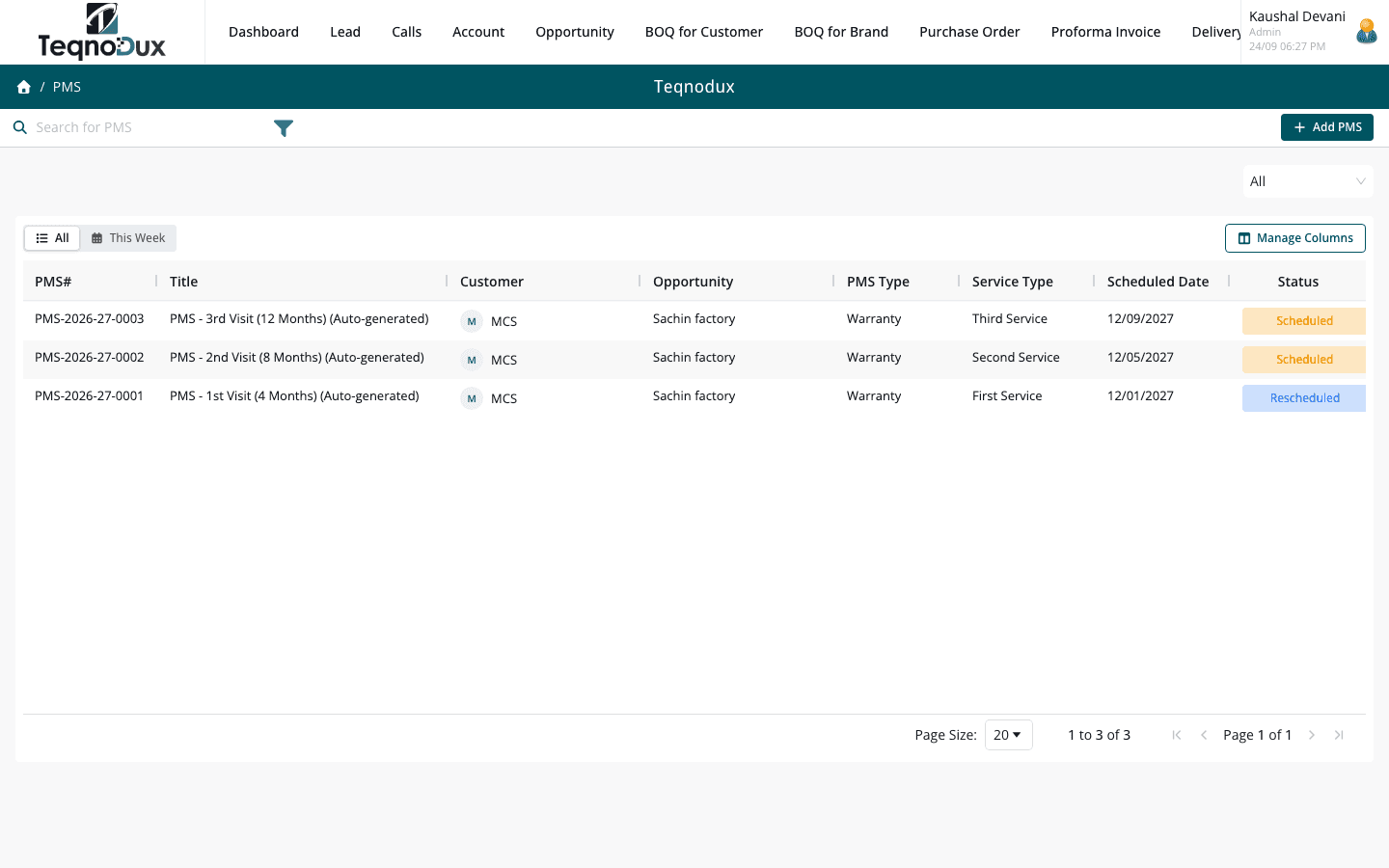
Everything PMS — Preventive Maintenance handles
Schedule maintenance visits with date, type and service description
Assign to a service provider or engineer from your Accounts directory
Generate 3 PMS records from an opportunity in one click
Status: Scheduled → Assigned → In Progress → Completed / Cancelled
Completion workflow: service notes, materials used, sign-off
Dashboard shows overdue and upcoming PMS visits
Custom fields per PMS visit for HVAC-specific data
How it works in practice
01
Schedule every maintenance visit — overdue flags before customers complain
Create a PMS record with a scheduled date, visit type and the equipment to be serviced. The dashboard shows upcoming and overdue visits across all customers — your field ops team starts every day knowing exactly what needs attention.
- Schedule visits with date, type and service scope description
- Dashboard highlights overdue and upcoming PMS visits across all accounts
- Custom fields for HVAC-specific data: equipment model, filter type, tonnage
02
Assign to your engineer or service provider — with full context
Assign each PMS visit to an engineer from your Accounts directory. The assignee sees the customer name, site address, equipment details and scheduled date. When they complete the visit, they log service notes and materials used.
- Assign PMS to any engineer or service provider in the Accounts directory
- Completion workflow: service notes, materials used, sign-off details
- Status: Scheduled → Assigned → In Progress → Completed / Cancelled
PMS — Preventive Maintenance
Assign to your engineer or service provider — with full context
Assign PMS to any engineer or service provider in the Accounts directory
Completion workflow: service notes, materials used, sign-off details
Status: Scheduled → Assigned → In Progress → Completed / Cancelled
03
Generate 3 PMS visits from one opportunity in one click
HVAC maintenance contracts typically include 3 visits per year. From an Opportunity, create all three PMS records at once — each with its own scheduled date and type. No creating them one by one.
- Bulk PMS generation: 3 visits from one Opportunity in a single action
- Each visit gets a unique date, type and status — tracked independently
- All 3 PMS visits linked back to the source Opportunity for traceability
PMS — Preventive Maintenance
Generate 3 PMS visits from one opportunity in one click
Bulk PMS generation: 3 visits from one Opportunity in a single action
Each visit gets a unique date, type and status — tracked independently
All 3 PMS visits linked back to the source Opportunity for traceability
PMS — Preventive Maintenance works with
Every module links across the platform — no re-entry, no disconnected data, no scattered tools.
Common questions
Yes. From an Opportunity record, use the Generate PMS action to create up to 3 PMS visits in one step. Set the date and type for each, and all three are created as Scheduled records linked to that Opportunity.
In the PMS record, select the assignee from Accounts / Directory. Any account typed as Employee or Service Provider appears in the list. The assignee can be changed before the visit is marked In Progress.
Yes. The completion workflow includes a Materials Used field where the technician can log filters changed, refrigerant topped up, parts replaced and any other consumables.
Mark the PMS as Cancelled — the record is preserved with a timestamp. Create a new PMS record with the rescheduled date. Both records remain on the Opportunity for a full history of scheduled and completed visits.
Yes. Custom fields can be added to PMS in Settings. Common fields include Equipment Model, Tonnage, Installation Date, Filter Condition and Next Service Date.
Your HVAC business deserves
better than a spreadsheet.
Join HVAC companies across India who've replaced WhatsApp chaos with one clean, connected system. Start free — no credit card, no contracts.