Calls & Activity
A unified call log across every entity in your business
Log every inbound and outbound call against a lead, account, opportunity, PMS visit or AMC contract. Every conversation is searchable, timestamped and visible to the right people.
Everything Calls & Activity handles
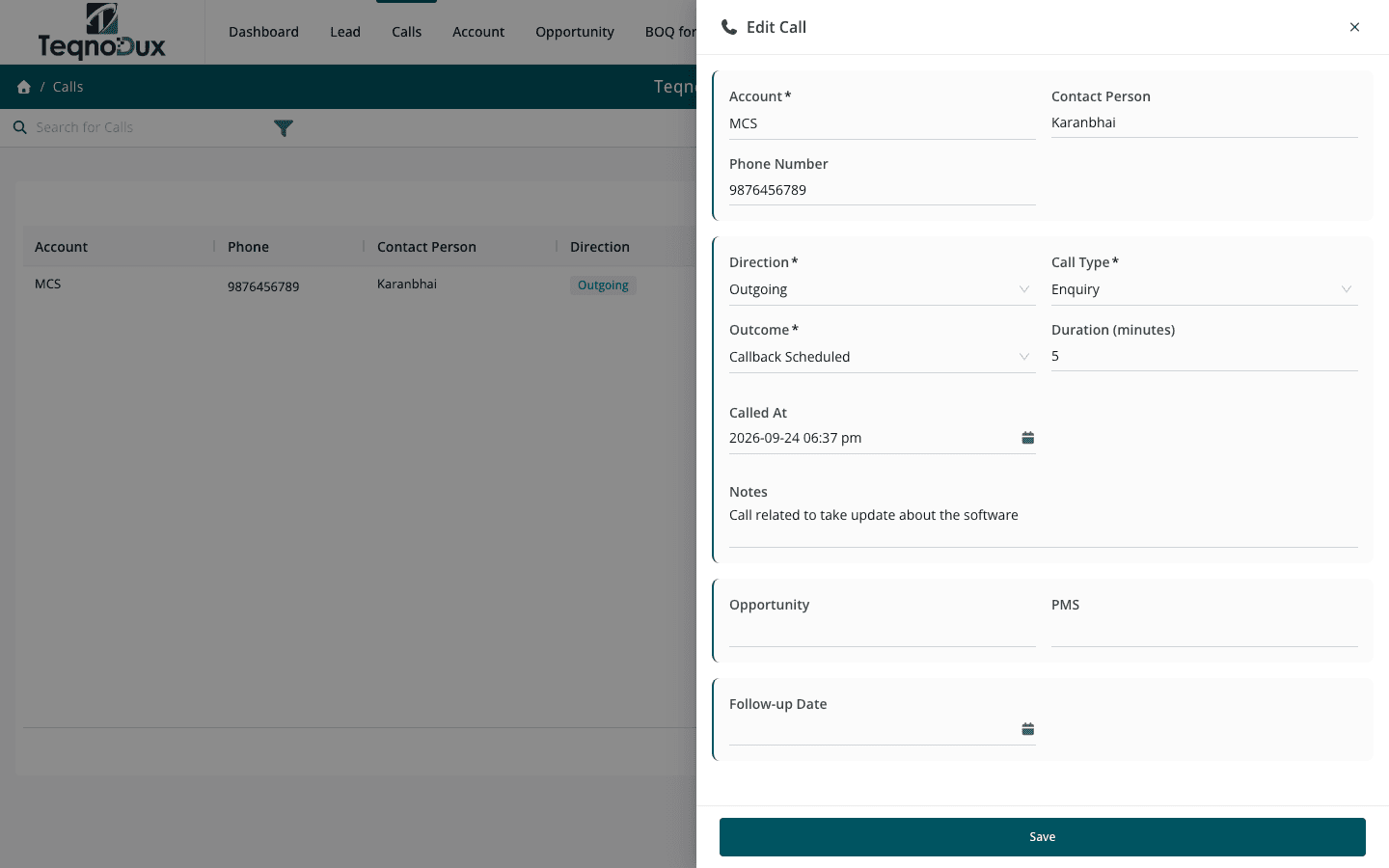
Log inbound and outbound calls with duration and outcome
Link calls to accounts, leads, opportunities, PMS visits, AMC or invoices
Set follow-up dates and get reminders on the dashboard
Full call history per contact visible across all linked modules
Track who called, when, and what was discussed
How it works in practice
01
One log for every conversation — linked to whatever it's about
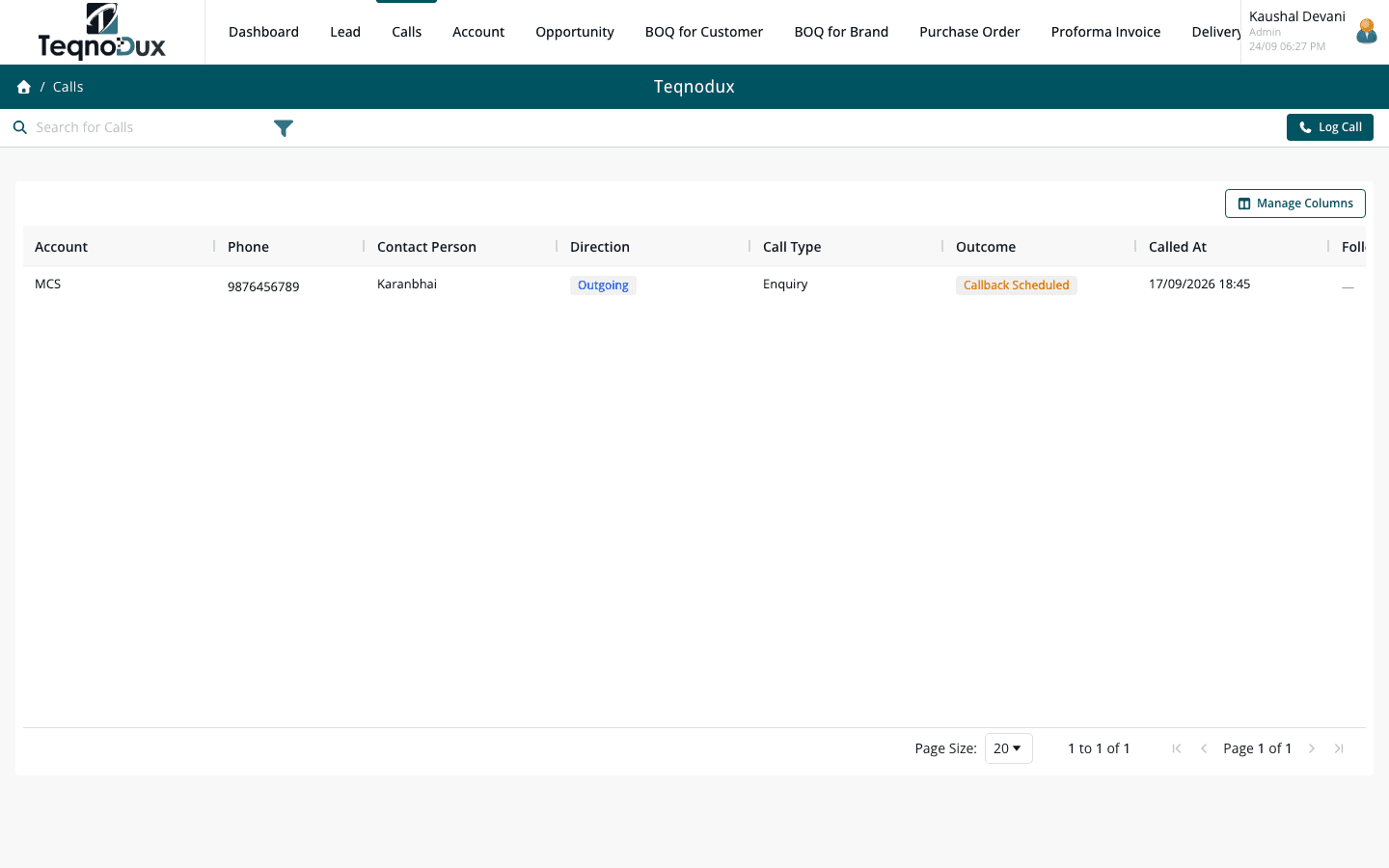
Whether a customer calls about an invoice, a tech calls from a site visit, or you're following up on an opportunity — every call is logged in one place, linked to the specific record it relates to. No separate call tracker, no disconnected notes.
- Link calls to leads, accounts, opportunities, PMS visits, AMC contracts or invoices
- Log inbound and outbound calls with duration, outcome and notes
- Every call timestamped and attributed to the user who logged it
02
Follow-up dates that actually surface on your dashboard
Promising to call someone back is easy. Actually doing it is harder. Every call log entry has a follow-up date field. Overdue follow-ups appear on your dashboard every morning — and on the manager's team view — so nothing slips.
- Set a follow-up date on any call log entry
- Overdue follow-ups highlighted on your personal dashboard each day
- Managers see the follow-up queue across their entire team
Calls & Activity
Follow-up dates that actually surface on your dashboard
Set a follow-up date on any call log entry
Overdue follow-ups highlighted on your personal dashboard each day
Managers see the follow-up queue across their entire team
03
Full cross-entity call history for any contact
When you open an Account, you see every call ever logged against it — across leads, opportunities, PMS visits and AMC contracts. The full picture without searching across multiple modules.
- Full call history per Account visible from a single account record
- Timeline view: who called, when, what was discussed, what was agreed
- Cross-module linkage — one call can relate to a PMS visit and an AMC contract
Calls & Activity
Full cross-entity call history for any contact
Full call history per Account visible from a single account record
Timeline view: who called, when, what was discussed, what was agreed
Cross-module linkage — one call can relate to a PMS visit and an AMC contract
Calls & Activity works with
Every module links across the platform — no re-entry, no disconnected data, no scattered tools.
Common questions
A call log entry has a primary link to one entity type. If the same conversation touched multiple records, log separate activity entries against each — keeping each record's timeline clean and relevant.
Call log visibility follows the same ownership rules as the records they're linked to. Managers can see all call logs across their team. Reps see logs on records they own or have been granted access to.
Every activity entry has a Follow-up Date field. Set a date and it appears in your personal overdue follow-up list on the dashboard. There's no separate reminder system — it's built into the activity log.
Currently, Calls & Activity is for manually logged interactions — phone calls, visits and follow-up notes. WhatsApp integration is on the roadmap. Email conversations can be summarised as activity log entries for now.
Your HVAC business deserves
better than a spreadsheet.
Join HVAC companies across India who've replaced WhatsApp chaos with one clean, connected system. Start free — no credit card, no contracts.