Inventory / Products
Know exactly what's in stock before you commit to a customer
Track high-side (AC units, VRF) and low-side (copper piping, cables, MCBs) items separately. Stock levels update automatically with every inward receipt and outward dispatch. Negative stock alerts catch overselling before it happens.
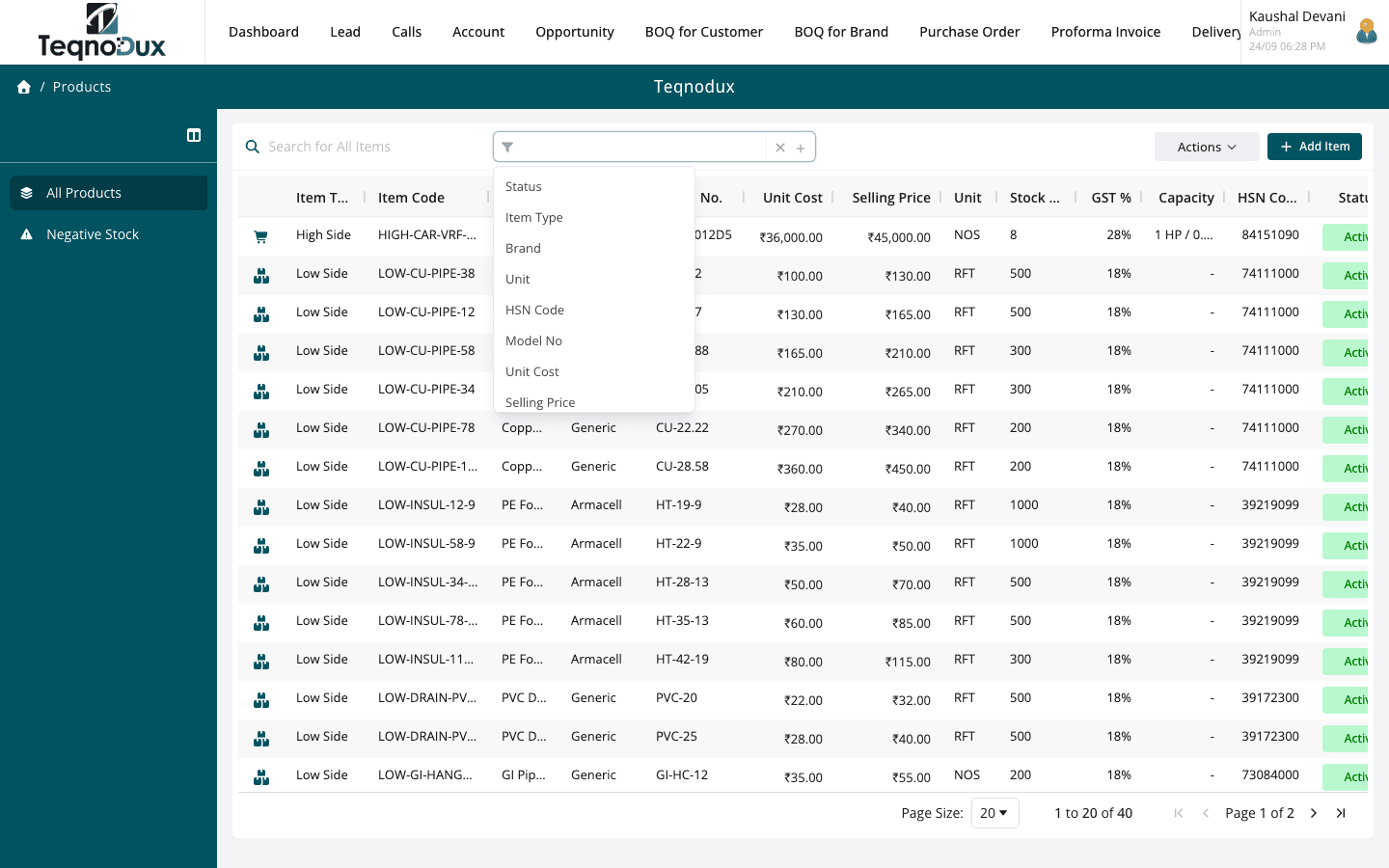
Everything Inventory / Products handles
High-side (AC units) and low-side (copper pipes, cables, MCBs) item classification
Stock levels per warehouse, updated by GRN (inward) and GIN (outward)
Negative stock report — flag items that went below zero
CSV import for bulk item upload
Material type, HSN code, unit and model number per item
Transaction history per item: every receipt and dispatch logged
Low-stock visibility before dispatching a delivery challan
How it works in practice
01
High-side and low-side — two very different stock profiles
AC units and VRF systems (high-side) are tracked individually by serial number and model. Copper piping, cables, insulation and control components (low-side) are tracked by quantity per unit. HVAC Flow's item classification reflects how HVAC procurement actually works.
- High-side items: serial number tracking, model number, tonnage classification
- Low-side items: unit-based stock (metres, lengths, pieces) per warehouse
- CSV import for bulk item upload — set up your catalogue once
02
Real-time stock updated by every inward and outward transaction
When a GRN is confirmed (Inward), stock increases. When a Delivery Challan moves to Dispatched (GIN created), stock decreases. No manual stock entries — the transactional modules update inventory automatically.
- GRN confirmation → stock increases for received items
- DC dispatch → GIN created → stock decreases for dispatched items
- Per-warehouse stock visibility — know which warehouse holds what
Inventory / Products
Real-time stock updated by every inward and outward transaction
GRN confirmation → stock increases for received items
DC dispatch → GIN created → stock decreases for dispatched items
Per-warehouse stock visibility — know which warehouse holds what
03
Negative stock alerts and full transaction history per item
If stock goes below zero (dispatch exceeds available stock), a negative stock report flags it. Every receipt and dispatch is logged against the item — the full transaction history shows exactly when stock moved and why.
- Negative stock report: flag items where stock went below zero
- Full transaction history per item: every GRN and GIN chronologically
- Low-stock visibility when creating a Delivery Challan — check before committing
Inventory / Products
Negative stock alerts and full transaction history per item
Negative stock report: flag items where stock went below zero
Full transaction history per item: every GRN and GIN chronologically
Low-stock visibility when creating a Delivery Challan — check before committing
Inventory / Products works with
Every module links across the platform — no re-entry, no disconnected data, no scattered tools.
Common questions
High-side items are the refrigeration circuit equipment — compressor units, condensers, VRF outdoor and indoor units — tracked by serial number and model. Low-side items are installation materials — copper piping, cables, insulation, MCBs, thermostats — tracked by quantity.
When a GRN (Inward) is confirmed, the stock quantity for each received item in the specified warehouse increases automatically. GRN confirmation is the trigger — no separate inventory update step.
The negative stock report lists all items where current stock is below zero — meaning more has been dispatched than received. This is a reconciliation tool to catch miscount or out-of-sequence transactions.
Yes. A CSV import is available for bulk item creation. This is the fastest way to set up your product catalogue initially. The import format includes item name, SKU, material type, HSN code, unit and initial stock quantity.
Yes. Items can be stocked across multiple warehouse locations. Each GRN specifies the warehouse where goods are received, and each DC specifies the warehouse stock is dispatched from.
Your HVAC business deserves
better than a spreadsheet.
Join HVAC companies across India who've replaced WhatsApp chaos with one clean, connected system. Start free — no credit card, no contracts.